Steno PadPrivate voice notes to text

Takes down every word. Tells no one.

A voice recorder that writes down what was said, and who said it, without sending a word anywhere. The speech model runs on your iPhone or iPad, so your recordings never leave it.

Get it on the App Store Free, for iPhone, iPad, and Macs with Apple silicon
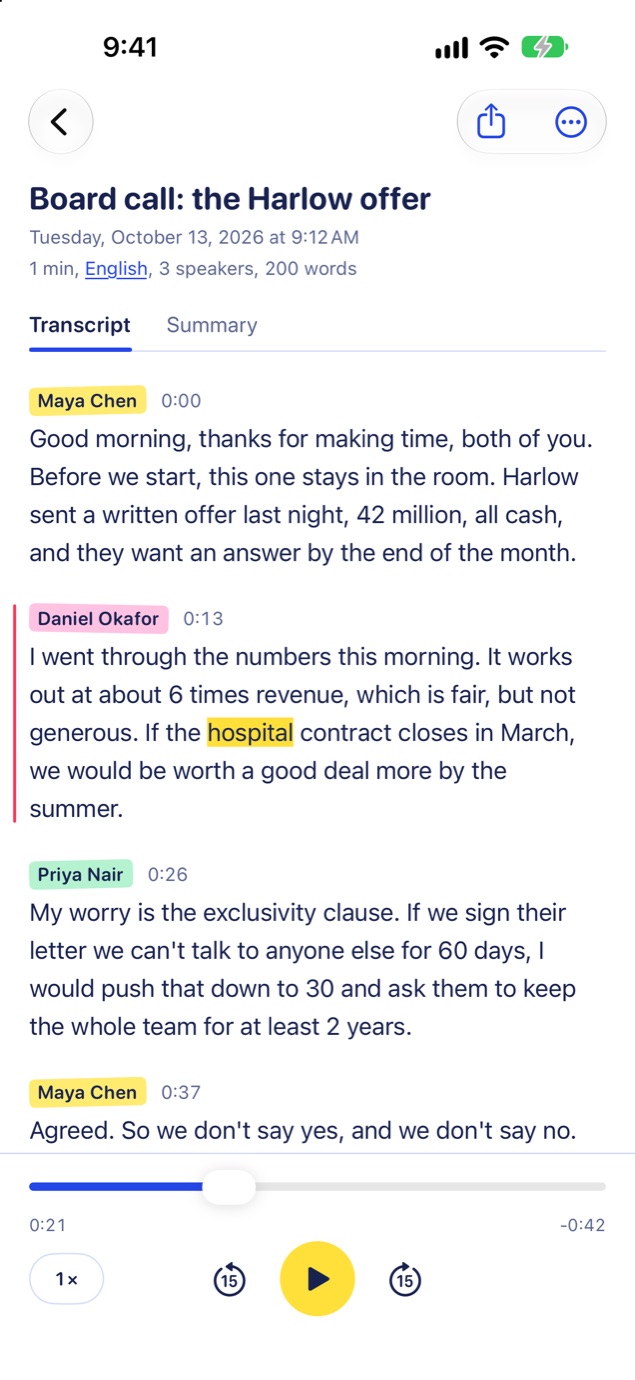
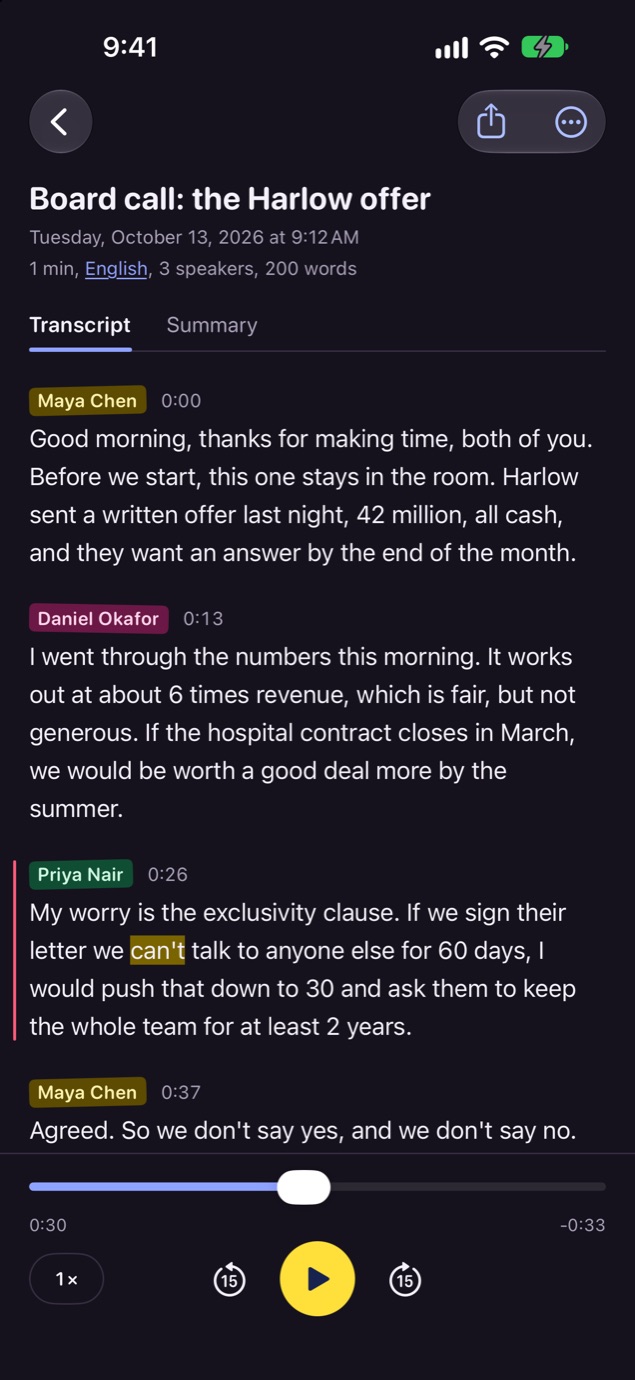
A transcript in Steno Pad: a board call, with each speaker's name above what they said, and the recording playing along.

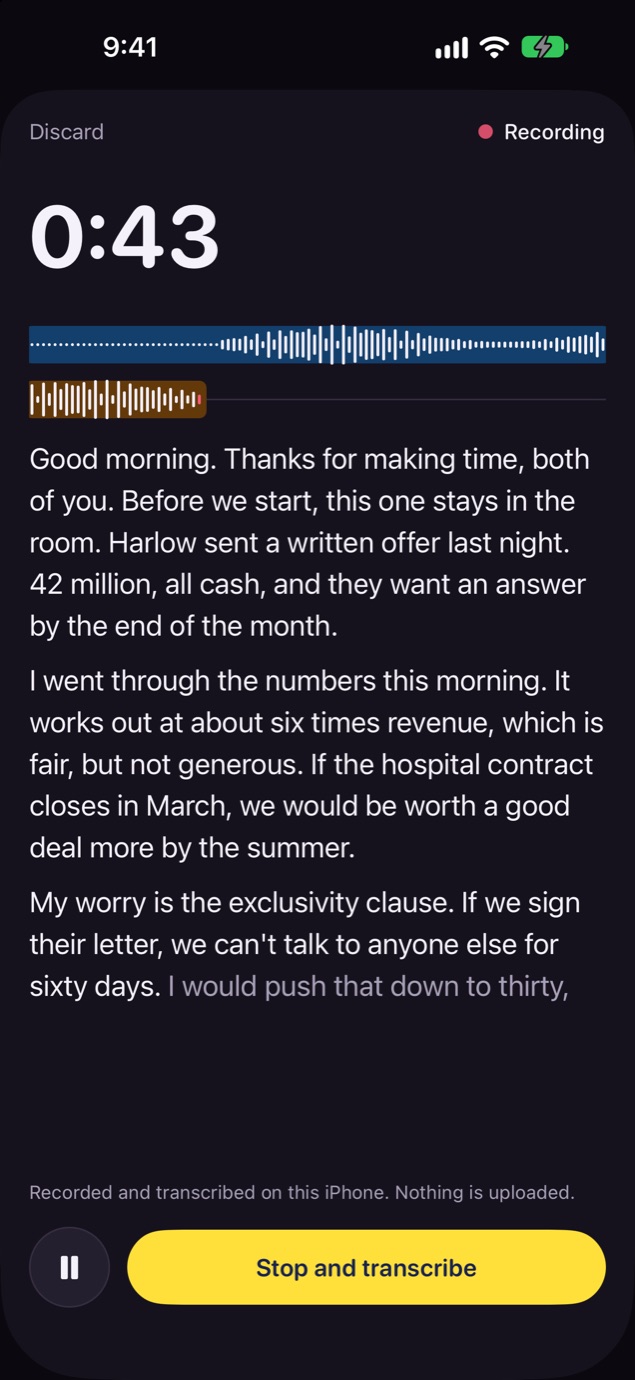
Words appear as you speak. 100% offline.

  • What gets uploadedNothing
  • Account you needNone
  • Signal it needsNone

The text follows a couple of seconds behind the voice while you record. When you stop, the whole recording is transcribed again with more care. It works in airplane mode.

Steno Pad recording, with the words appearing under the waveform.

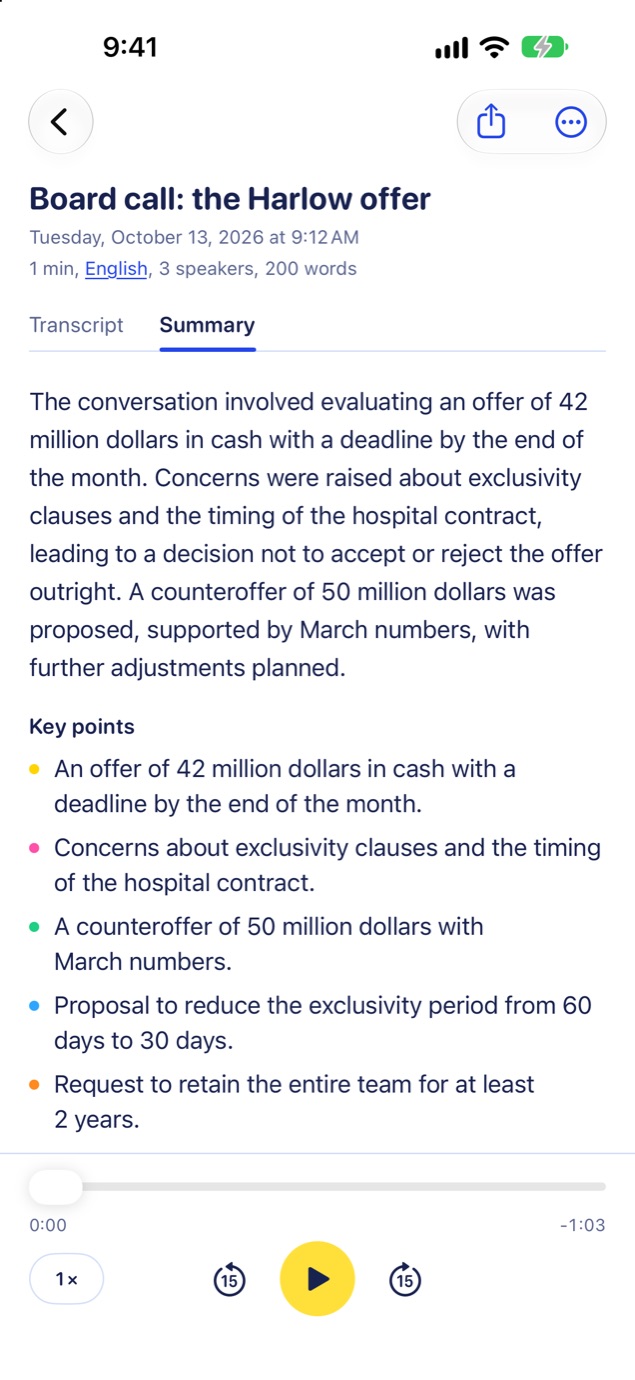
Summaries written on your iPhone.

An overview, the key points and the action items, by Apple Intelligence on the device.

A summary of the board call, with its key points.

Knows who said what, and when.

Speakers are told apart and take the names you give them. Tap a line to hear it again.

A transcript in the dark look, with three named speakers.

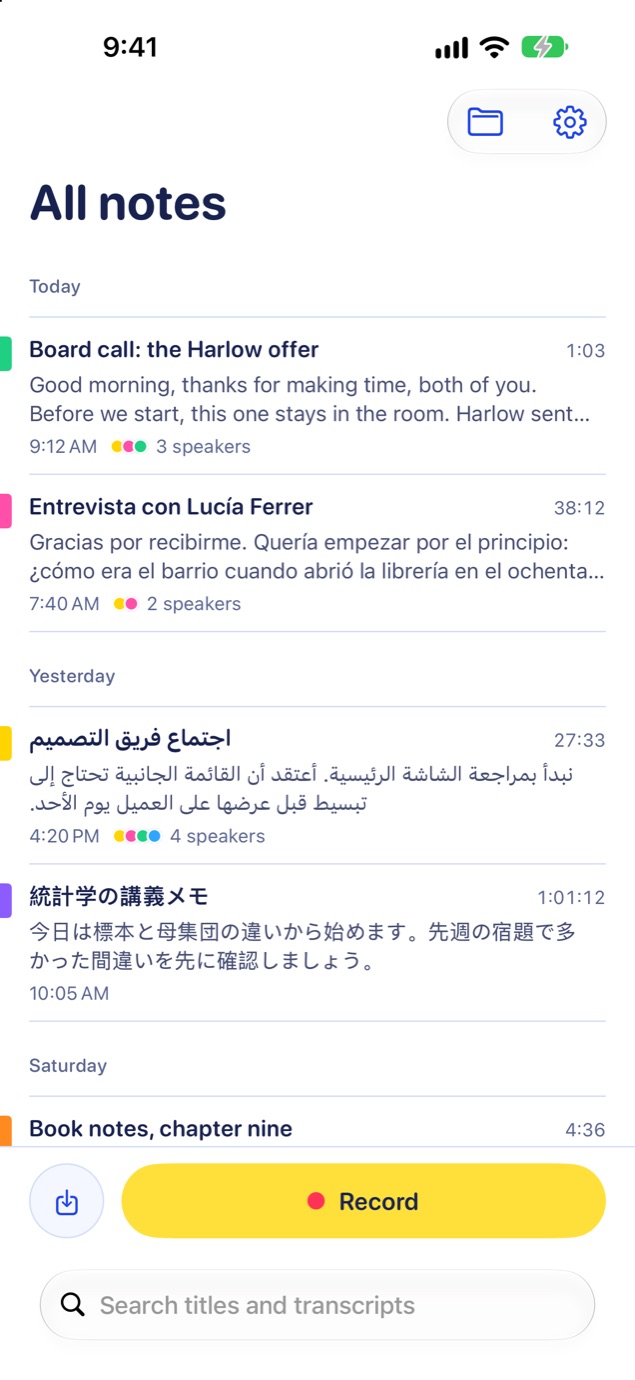
100 languages, detected for you.

Record in Spanish, Arabic, Japanese or 97 others. If the guess is wrong, a tap puts it right.

The list of notes, in English, Spanish, Arabic and Japanese.

Recordings go in. Text comes out.

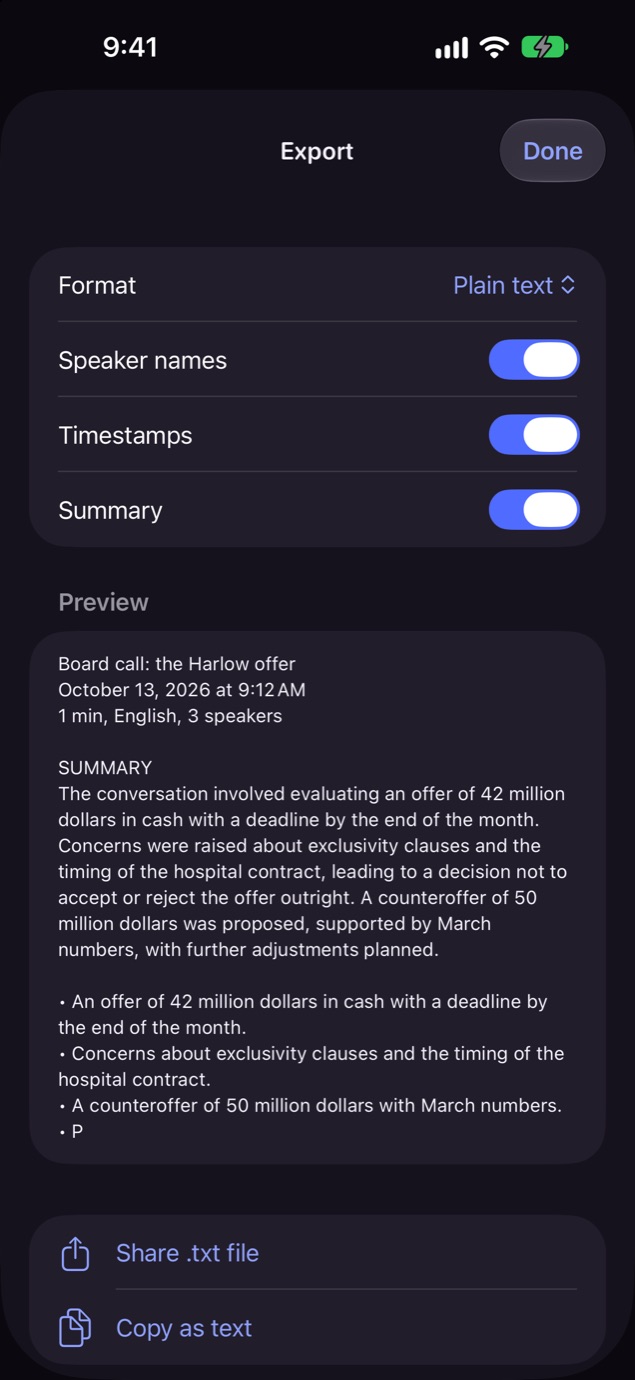
Bring in audio or video. Take out plain text, Markdown or subtitles, with speakers and times.

The export options: text, Markdown and subtitles.

Free to record. Pro to finish.

Free

Record as much as you like. The first 2 minutes of every recording are transcribed, with speakers, summaries, search and export.

Pro

Every recording transcribed in full, however long. Pay by the month, by the year, or once. Your own device does the work, so there is no charge by the minute.

Words while you record are on from the start on iPhone 15 Pro and later and on iPads that support Apple Intelligence; on other devices, switch them on in Settings. Summaries need Apple Intelligence. Speech recognition makes mistakes, so check anything that matters against the recording.